POLICE Chase Simulator
More games to play
 Spider Hero Street FightSide-scrolling brawler where you web-sling through city streets fighting villains.
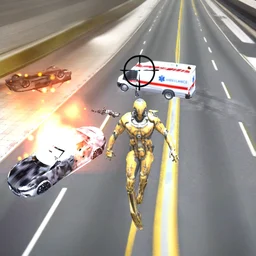 Super Crime Steel War HeroDrive cars, blast criminals, and complete missions as an armored steel hero.
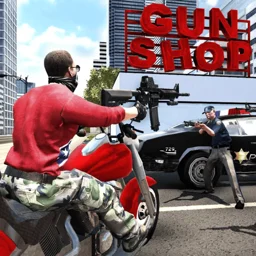 Grand Action Simulator: New YorkRule New York as a criminal in this open-world GTA-style crime game.
 SpiderDollSwing a spider ragdoll through physics-driven levels using skill and momentum.
 Amazing Strange Rope PoliceBack to the main game
Police Chase Simulator is a 3D driving game where you take the wheel of a police cruiser and pursue criminals trying to flee the scene. It runs free in the browser with no download, so you can play at school or work whenever browser games are available. The game was released for WebGL in June 2019 by Mike Games. It puts you on the streets in first-person, testing how fast you can close the gap, cut off an escape route, and bring a chase to an end.
What is Police Chase Simulator?
Police Chase Simulator is a 3D police pursuit game. You drive a cop car through open streets, chasing down suspects who are actively trying to get away. The action is viewed in a close third-person perspective, giving you a clear look at both your vehicle and the road ahead. It sits in the action and car genre and was developed by Mike Games, with the WebGL browser version launching in June 2019. The game has earned a rating of 4.3 out of 5 from over 32,000 players.
Controls for driving and pursuit
The controls are straightforward. Use WASD or the arrow keys to steer and accelerate, hold Shift to trigger a nitro speed boost, press Space for the handbrake to corner sharply, and use left click to shoot at fleeing vehicles.
| Action | Key or input |
|---|---|
| Accelerate / reverse | W / S or Up / Down arrow |
| Steer left / right | A / D or Left / Right arrow |
| Nitro boost | Shift |
| Handbrake | Space bar |
| Shoot | Left mouse click |
Pursuit tactics and the chase system
Each chase puts you against a suspect trying to reach the edge of the map or lose you in traffic. Closing distance quickly is the first priority, and the nitro boost is your main tool for that. Once you are alongside or ahead of a target, the handbrake lets you spin the car across their path. Shooting slows suspects down, so it is useful when they pull away. The city streets have enough turns and obstacles that cutting corners early often beats trying to match raw speed.
| Situation | Recommended action |
|---|---|
| Suspect pulling ahead on a straight | Use nitro to close the gap |
| Approaching a sharp corner | Tap handbrake to cut the angle |
| Suspect too far to ram | Shoot to slow them down |
| Traffic blocking your path | Steer around early, do not brake late |
Platform and device support
The game runs in any modern web browser via WebGL, so no installation is needed. It also supports mobile devices, and a native Android version was released in May 2018, predating the browser port. On desktop the keyboard and mouse controls are the primary input. On mobile, on-screen touch controls handle driving and shooting.
Tips for catching suspects faster
- Save the nitro for straightaways where it gains the most ground, not in tight turns where you will overshoot.
- Use the handbrake through corners rather than slowing down completely; keeping speed through a turn is usually faster.
- Aim shots slightly ahead of a moving target rather than directly at it.
- Learn the basic street layout early. Knowing where roads end or narrow lets you set up blocks instead of just chasing from behind.
- If a suspect is close, a well-timed ram into their rear is often more reliable than shooting.